Tracking baby milestones: Monitor development, growth, and daily activity
Updated Oct 09, 2026


A baby’s first year is filled with tiny moments that add up fast — first smiles, a new sound you swear wasn’t there yesterday, tiny hands grabbing your finger (then everything else). It’s exciting, emotional, and often a blur. A milestone tracker can help turn those fleeting moments into a reassuring, reflective picture of how your baby grows and changes over time.
Instead of relying on memory alone, a tracker is a simple way to see where your baby’s been, how far they’ve come, and how you’ve been alongside them every step of the way!
In this article, we’ll cover milestones to watch for, easy ways to track them, and how a milestone tracker app like Huckleberry can act like a practical, supportive scrapbook along the way.
Key areas: Development, growth, activity
While first words and steps often feel like the “biggest” baby milestones, there are building blocks underneath that moment that involve several connected areas (development, growth, and activity) over time. Your baby doesn’t just suddenly go from zero to walking — there’s so much underlying growth and progress along the way. Tracking milestones in multiple areas gives you a more complete view of your baby’s overall progress.
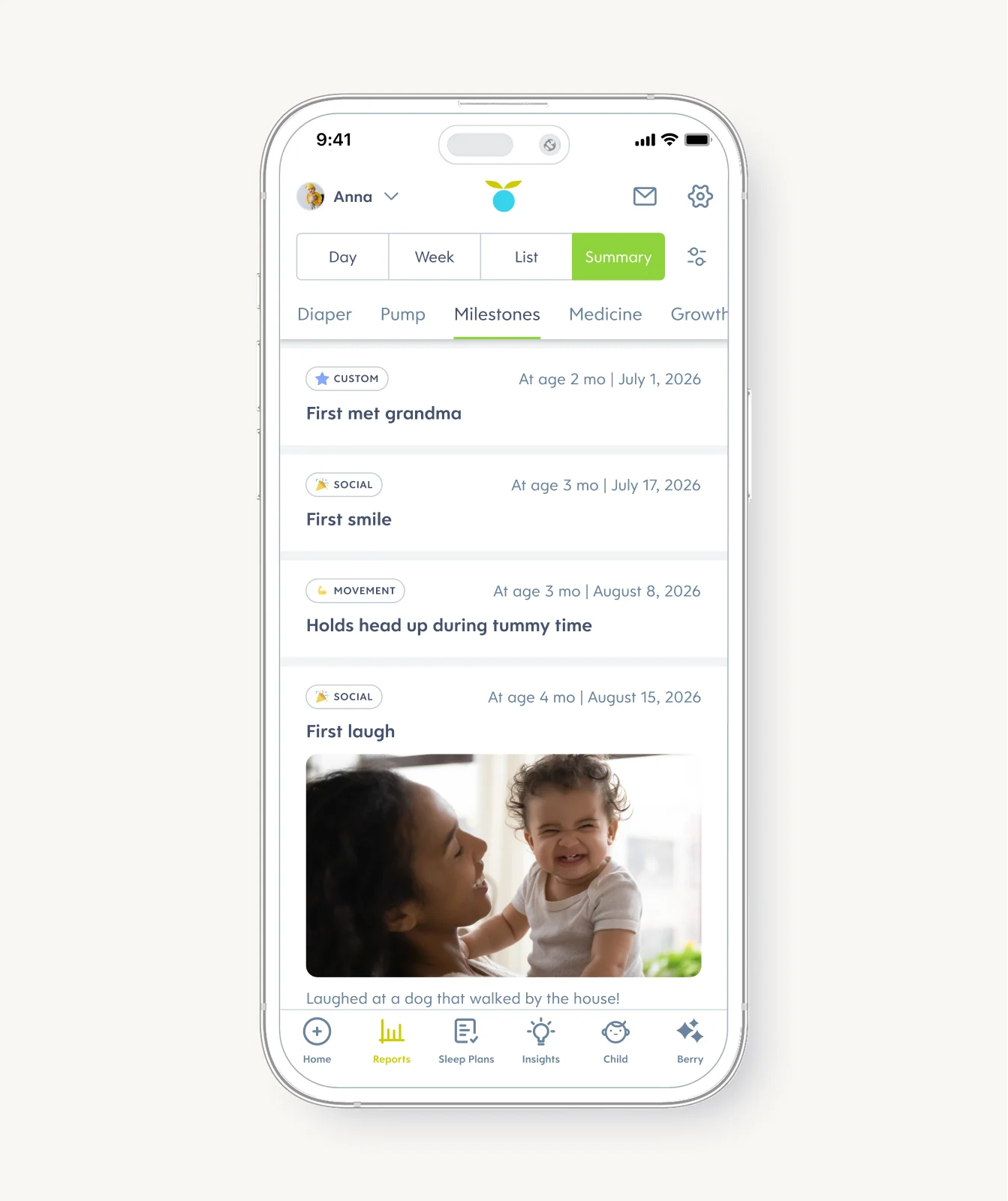
Development
Development milestones reflect how your baby is learning to move, think, and interact with the world. This includes motor skills like rolling, sitting, and crawling, as well as cognitive and social milestones such as responding to sounds, recognizing familiar faces, or showing curiosity during play. These milestones don’t happen on a strict schedule, but logging can help you notice emerging skills and celebrate progress as it happens. It can also help you feel more prepared to discuss your child's unique timeline with your medical provider.
Growth
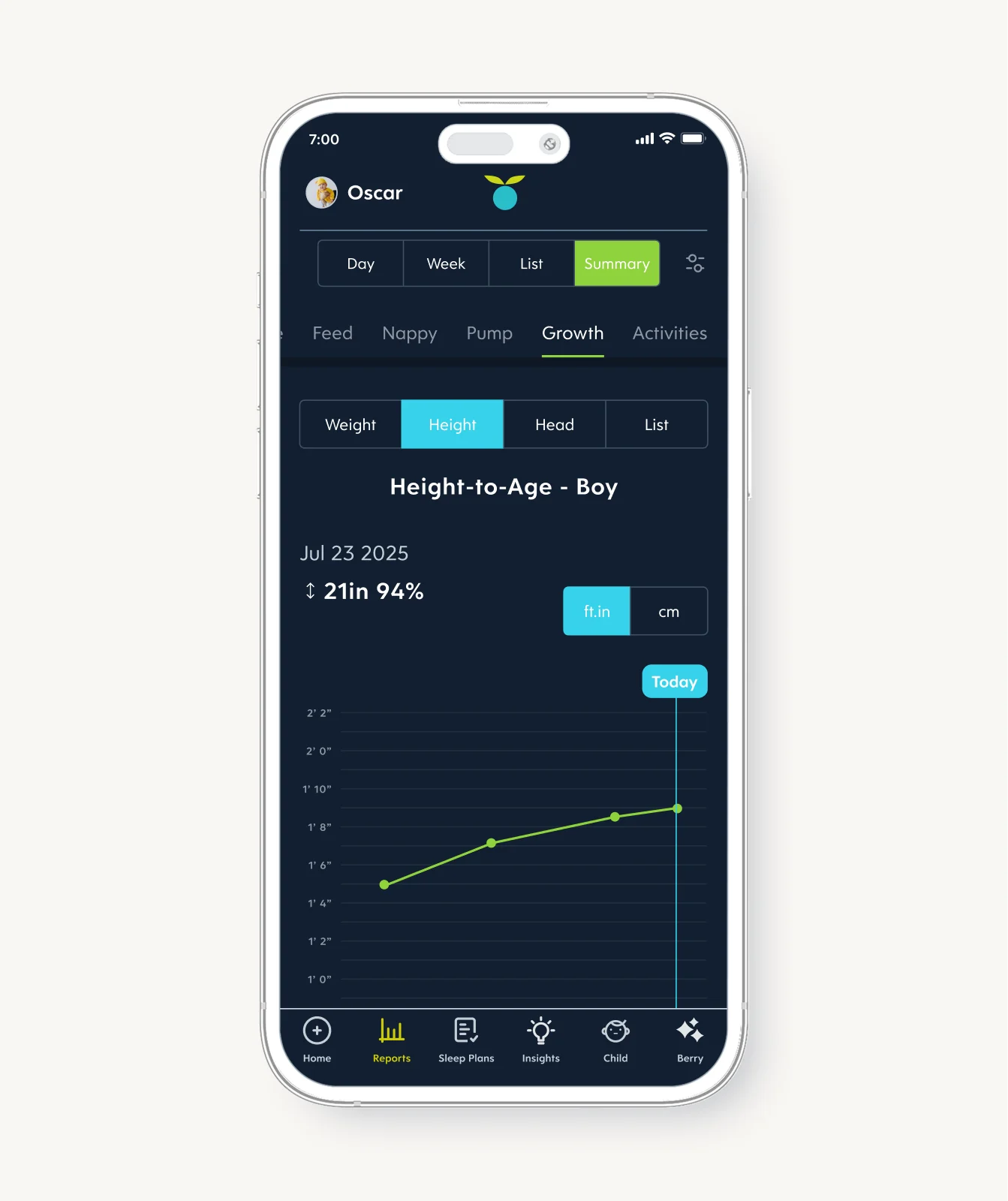
Growth tracking focuses on measurable changes such as weight, height (length), and head circumference. These data points help you understand how your baby is physically growing over time and are often discussed during checkups with your little one’s healthcare provider. Keeping growth records in one place makes it easier to see trends and stay informed.
If it’s helpful for you, you can simply enter the measurements shared at checkups to see trends over time and have them handy for reference. If it’s not something you want to actively track, that’s OK too! You are allowed to make parenthood look like how you need it to look. Tracking is meant to support you, not add extra pressure.
Daily activity
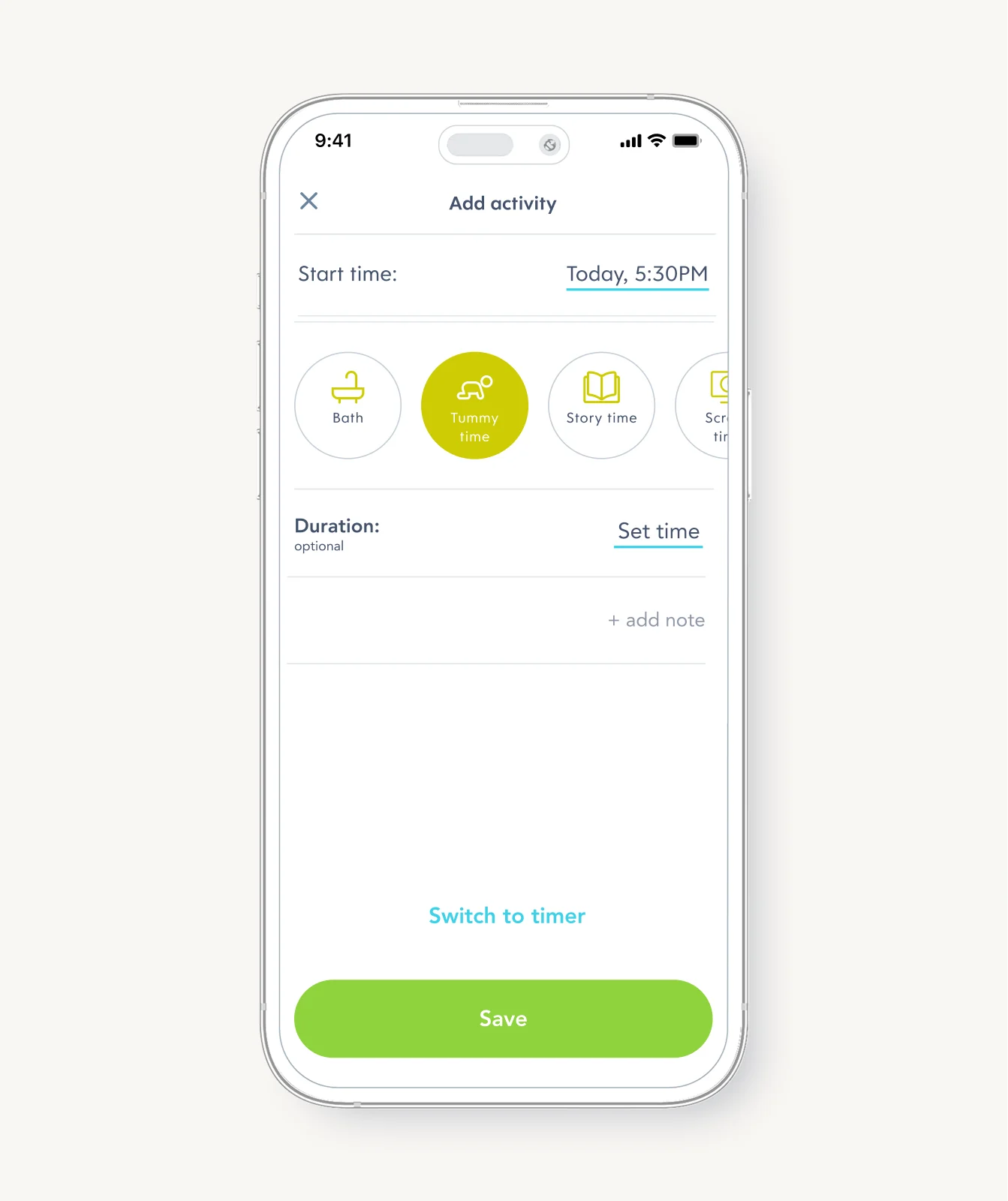
Some activities, like tummy time, connect closely to physical development. But not everything you track has to be about milestones. Tracking other activities (like bath time, story time, or indoor and outdoor play) can be more about practicality. It’s easy to forget what’s already happened in a busy week. Instead of asking yourself: “When did that last bath happen?”, you can quickly find it.
Benefits to tracking a baby’s milestones
Instead of relying on memory or wondering whether progress is happening, baby tracker apps can give you a clear view of how your baby is developing over time. Here’s how a milestone tracking app can support you by:
Spotting patterns
He
lping you celebrate small wins
Connecting daily routines to development
Bringing clarity to pediatric visits
Reducing second-guessing (like wondering how often you’re doing tummy time)
Keeping all caregivers on the same page
Creating a lasting record of your baby’s early development
How to track milestones effectively
Milestone tracking works best when it fits naturally into your day. Start by tracking milestones as you notice them, whether that’s your baby rolling for the first time or showing interest in new sounds. Milestone tracking is often more casual than logging sleep or feeding, where timing and accuracy can guide your next decision.
A quick note, photo, or tap is plenty, and it’s okay if you log it later. Over time, these entries create a timeline you can easily look back on. Your memory is still a wonderful tool; the app is just there to back you up.
Sharing data with healthcare providers
Another bonus to milestone tracking is that it can support conversations with your baby’s healthcare provider. Having a record of developmental milestones and daily routines gives context that’s hard to recall on the spot during appointments.
Having your notes in one spot can take the pressure off your memory during appointments. Your logs can be handy during appointments for questions like, “When did your baby start rolling over?” Everything’s in one place, giving you a handy reference to share with your care team. This can make checkups more productive and help your care team better understand your baby’s overall development.
Tips for using a milestone tracker app
Think of a milestone tracker as a notebook for noticing rather than a report card. When used well, it can help you slow down to spot gradual growth. You’re not missing anything or falling behind. With this tool, you can see and trust the progress your child is already making.
Tip #1: Let curiosity lead, not urgency
Milestones aren’t checkboxes to race through. Use your tracker to stay curious about what your baby is learning and exploring, rather than worrying about what “should” happen next.
Tip #2: Capture moments while they’re fresh
That first roll or new sound can be easy to forget in the hustle and bustle of the day. Jotting milestones down or adding a photo can be helpful so you don’t have to try to remember later.
Tip #3: Keep your baby’s story front and center
Milestone timelines are broad for a reason. Resist the pull to compare and instead use your tracker to follow your child’s own rhythm and progress.
Tip #4: Zoom out regularly
Day to day, growth can feel invisible. Skimming past weeks or months of entries can reveal just how much has changed.
Tip #5: Make it a shared tool, not a solo task
When caregivers track together, everyone has the same context. That shared view makes it easier to support your baby confidently, no matter who’s on duty.
How parents can use Huckleberry to track milestones
Huckleberry brings milestone tracking and everyday routines together in one place. Parents can record developmental milestones, follow growth, and keep tabs on daily activities (like bathtime, tummy time, and outside play) without juggling multiple tools. Add meaningful notes and a photo to capture details you don’t want to forget, from favorite bedtime stories to small observations that matter to you. You can also log milestones from the pre-set list or add a custom entry.
With the activity tracker, you can also log key activities that support development, including skin-to-skin time, story time, outdoor and indoor play, tummy time, bath time, teeth brushing, and even screen time. Each activity can be tracked with a timer or a simple check-in, depending on how detailed you want to be. Want to remember which fruit was a favorite or how long outside time lasted today? Add a note now, or edit it later with the Huckleberry app.
Share article:

Note: The content on this site is for informational purposes only and should not replace medical advice from your doctor, pediatrician, or medical professional. If you have questions or concerns, you should contact a medical professional.
Share article:


